Upload one invoice. Lumen sets up the rest.
Approve it once and you get the shipment, your client’s tracking link, the bill and a broker-ready customs file. All from that one document.
A person replies within one business day.
Created from this one invoice
Three jobs you stop doing by hand
Forward documents by email
Your team gets its own Lumen address. Forward the supplier’s email and the invoice, packing list or bill of lading is read from the attachment. No upload page, no retyping.
More on Document readingCarrier bill check
Every carrier invoice is checked against what the carrier agreed. Overcharges and charges nobody agreed are flagged before you pay.
More on Carrier bill checkA broker-ready customs data file
One clean file for your customs broker, with the right US or Canadian codes and the estimated duty, and every gap flagged before it goes. Your broker files the entry.
More on Broker customs data packPick the pack for the work you do
Each pack follows one job, from the first document to the bill. Every pack is available as a free trial, and we set it up with you.
Forwarder Pack
For small and mid-size freight forwarders.
- Document reading
- Freight rates
- Tracking & client portal
- Billing & invoicing
- Carrier bill check
Importer Pack
For brands and distributors importing from Asia and India.
- Document reading
- Sourcing & POs
- Tracking
- Broker-ready customs data pack
- Landed cost & duty
3PL Pack
For warehouses and 3PLs.
- Document reading
- Warehouse & 3PL
- Billing & invoicing
Add-on for sourcing agents and factories: Manufacturing & QC, with production tracked from the buyer’s PO. Add it to any pack. Compare the packs
Your suppliers, factories and drivers install nothing
Only your team signs in. Everyone else gets a link that opens in any phone browser, and what they send lands in Lumen for your team to approve.
Suppliers
Send the invoice, packing list and photos through a link for that one order. It goes straight into your review queue.
How it works for suppliersFactories
Scan the QR code at the workstation, enter the units done and add a photo. The buyer sees the progress.
How it works for factoriesTruck drivers
Tap Picked up, Arrived and Delivered on a link, with a photo at the door. Location only if they choose to share it.
How it works for truck driversYour clients
Follow every shipment on their own tracking link, around the clock, without calling you.
How it works for your clientsThe real app, on a sample invoice
These are screens from Lumen itself, run on one sample commercial invoice. The companies are made up; everything else is what the app does.
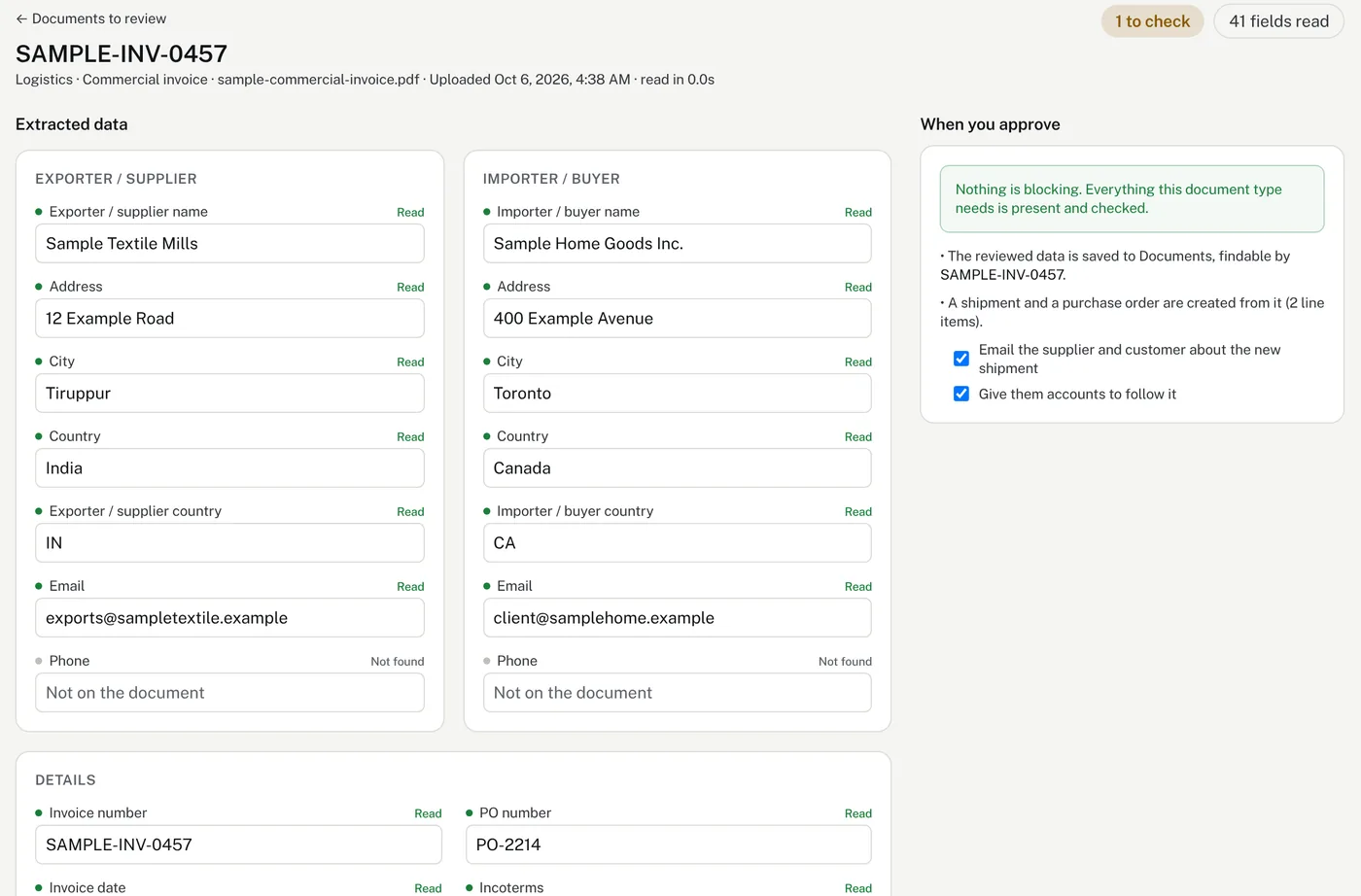
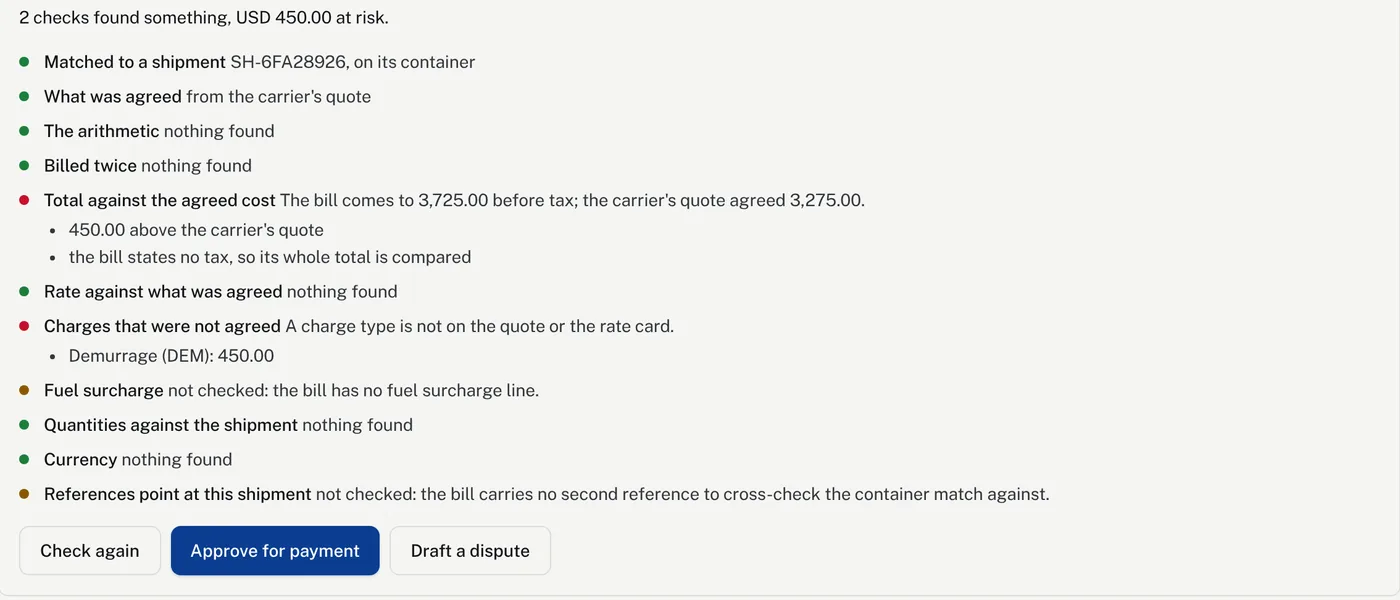
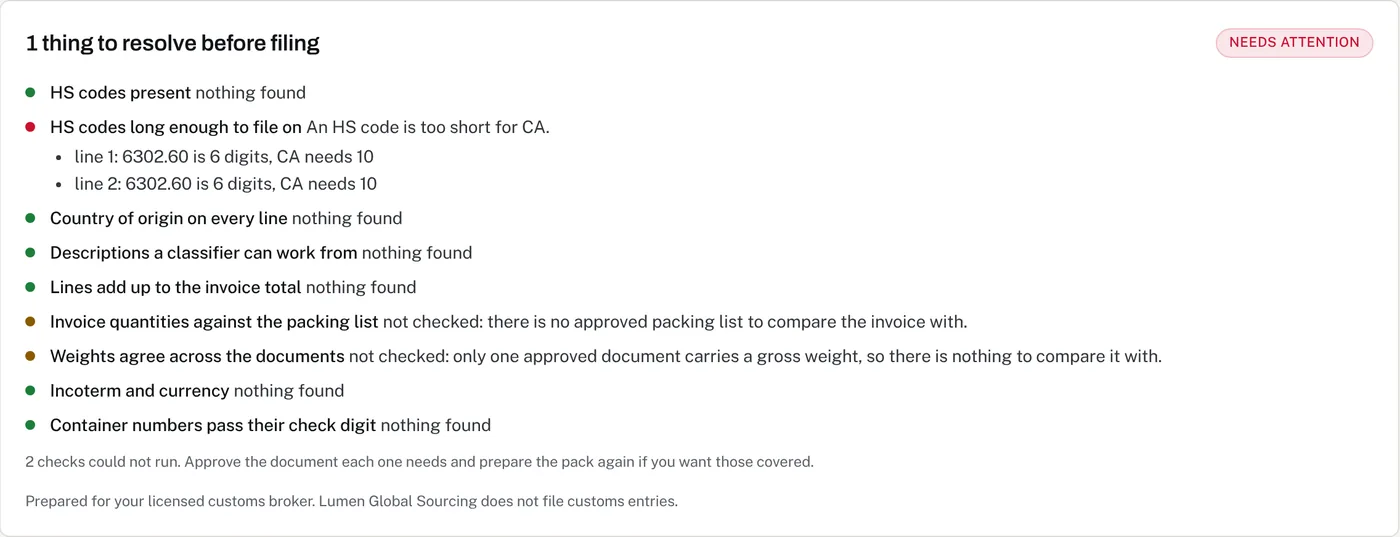
SampleGenerated by Lumen from the same sample invoice. Today your data moves as files: approved carrier bills download as a CSV for your accounts team, each broker pack downloads as a ZIP with a PDF, the lines as CSV and Excel, and the original documents, and shipments and POs can be bulk-loaded from a CSV.
See it work on each module
Choose a module on the left. The steps play through on their own, and you can click any step to jump to it.
Document reading
Much less typing from PDFs. A person still checks before anything is created.
Works with the tools you already use
Documents come in from your inbox and the finished work goes out to your books, without anyone copying it across.
QuickBooks Online
Every client invoice you send and every carrier bill you approve goes into your books by itself, against the accounts you choose.
Xero
The same for Xero: invoices and bills arrive as drafts for your accountant to approve, or approved, whichever you prefer.
Microsoft Outlook
Connect your mailbox and Lumen picks up invoices, packing lists and bills of lading within minutes of them arriving.
Gmail and any other email
One forwarding rule sends documents to your company’s Lumen address. Only your team and the senders you approve are read.
Coming next
Two more are on the way. Join the waitlist on any of them and we’ll email you the day it’s ready.
B2B sourcing marketplace
Checked factories list what they make. Buyers contact them directly.
Join the marketplace waitlistARIA operations agent
Does the daily chasing for missing documents, late milestones and unpaid invoices.
Join the ARIA waitlistTry it on your own shipments.
Start a free trial and we set it up with you, so you’re running in days. Or book a demo first and we’ll show you the parts that fit how you work.
A person replies within one business day.