Available now
Document reading
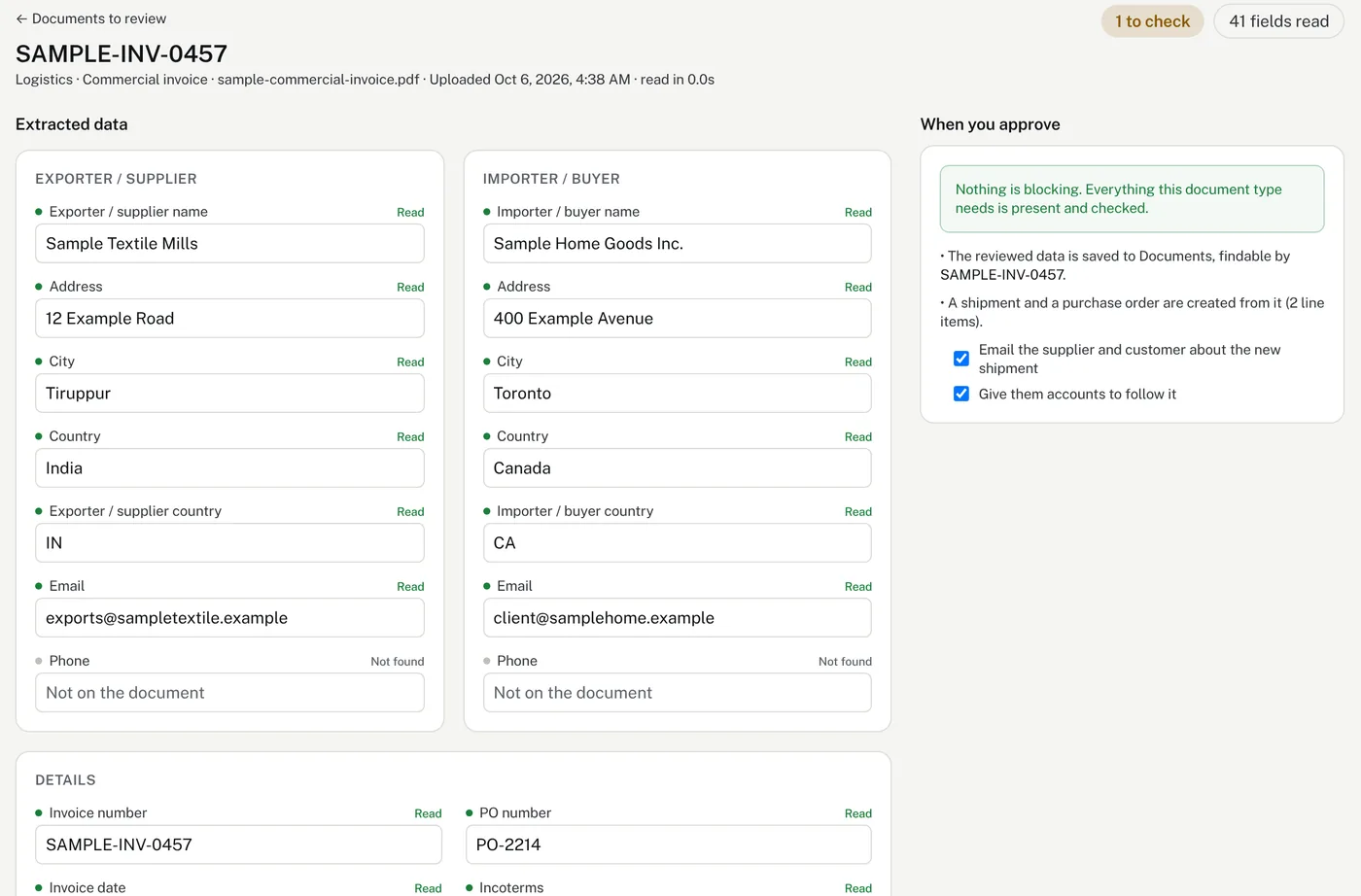
Upload a commercial invoice, packing list or bill of lading, or forward the email, and the fields come back for review.
How it works
Much less typing from PDFs. A person still checks before anything is created.
UploadReceived
Step 1 of 4
In the app
What it looks like in Lumen
Lumen appSample data
What it does
Upload a commercial invoice, packing list or bill of lading, or forward the email, and the fields come back for review.
- Commercial invoices, packing lists and bills of lading
- Upload a PDF, a scan or a photo, or forward the email to your own Lumen address
- Every field reviewed by a person before it is used
- Approve to create a shipment or a purchase order
- Suppliers send their own documents through a link, with no account or app
Where it sits
Included in: Forwarder Pack, Importer Pack and 3PL Pack
Forwarder Pack
For small and mid-size freight forwarders.
Book a demo or start a trial for the Forwarder PackImporter Pack
For brands and distributors importing from Asia and India.
Book a demo or start a trial for the Importer PackRead more
A longer piece on this
- Freight Forwarding Automation: From Invoice to ShipmentWhat one approved commercial invoice should set up: the shipment, PO match, client tracking link, warehouse notice, billing and risk alerts.7 min read
See it on your own shipments.
Start a free trial and we set it up with you, or book a demo and we’ll show you the parts that would help.